If your phone keeps buzzing with fake package notices, political messages, or a stranger who will not stop writing, learning how to block texts on iphone can give you back control in a few minutes. You do not need a security app or technical experience. Apple includes practical controls in the Messages app, and the best approach is to block the sender, report obvious junk, and avoid clicking links before deciding what to do next.
The goal is not perfect security. It is fewer easy wins for the attacker. A spammer wants a quick response, a working phone number, or a tap on a malicious link. Blocking removes the easiest path and gives you a quieter inbox.
How to block texts on iPhone from a known sender
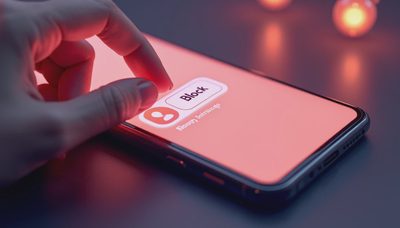
Start by opening the Messages app and selecting the conversation you want to stop. Tap the contact name, phone number, or profile icon at the top of the screen. On the details page, tap Info if it appears, then choose Block Caller. Confirm the choice when your iPhone asks.
That process is the basic answer to how to block texts on iphone when the message comes from a normal phone number or a saved contact. The person can still leave a voicemail, but calls and messages from that number will not alert you in the usual way. You can repeat these steps for each unwanted sender.
If the conversation includes a threatening message, harassment, or evidence of fraud, take screenshots before blocking. Include the sender information, date, and full message. Store the images somewhere safe, such as your iCloud Photos account, especially if you might need to report the conduct to your mobile carrier, school, workplace, or local law enforcement.
How to block texts on iPhone when the number is unknown
Unknown senders require a slightly different cleanup. Open Messages, review the conversation, and use the sender details at the top to find the blocking option. If the message displays a Report Junk link, use it before deleting the thread. Reporting helps Apple and your carrier identify patterns, although it does not guarantee that every future message will be stopped.
You can also turn on message filtering. Open Settings, select Messages, and look for the section labeled Message Filtering. Turn on Filter Unknown Senders. Depending on your iOS version, you may see separate categories for transactions, promotions, or unknown senders. These messages move away from your main conversation list, so a family member or coworker in your contacts remains easy to find.
Filtering is not the same as blocking. It sorts messages and reduces interruptions, while blocking targets a specific number. Use both when appropriate. A scammer who sends messages from several changing numbers can be difficult to block individually, but filtering makes the campaign much less visible.
What to do before tapping a suspicious link
Blocking is only one part of the fix. Many text scams imitate UPS, FedEx, Amazon, a bank, or a toll agency. The message may say a small payment is overdue or that a delivery address needs confirmation. The attacker wants urgency to replace judgment.
Do not open the link just to see where it goes. Instead, open the company’s official app or type its known website into Safari yourself. For a bank message, call the number printed on your debit card rather than using a number in the text. Delete the message after reporting it, and never reply with a password, verification code, Social Security number, or card number.
If you already tapped, do not panic or blame yourself. Close the page, update your iPhone, and change any password you entered using the real account website. Turn on two-factor authentication where available. If you provided payment information, contact the card issuer promptly and watch for unfamiliar charges.
How to block texts on iphone from a contact you know
Sometimes the unwanted messages come from someone already saved in your contacts. That can happen after a disagreement, a breakup, repeated sales pitches, or a compromised account. Blocking still works the same way: open the conversation, tap the name at the top, choose Info, and select Block Caller.
Blocking a contact does not erase the old conversation automatically. If you want a cleaner phone, return to the Messages list, swipe left on the thread, and tap the trash icon. Consider saving anything important first. Deleted conversations can be difficult or impossible to recover, depending on your backups and device settings.
A blocked person might try another number or contact you through an app such as WhatsApp, Facebook Messenger, or email. That is a separate channel with separate controls. Block the account there too, and review privacy settings so strangers cannot easily add you to group chats or send message requests.
How to confirm and manage blocked numbers
To review your choices, open Settings and search for blocked contacts, or look under the Phone, Messages, or FaceTime settings depending on your iOS version. Apple changes menu locations occasionally, so the Settings search bar is often the fastest route. You can see blocked numbers and remove one if you made a mistake.
This review is useful for families sharing advice. A parent might block a number on a child’s iPhone, while the child assumes the phone is broken. Explain that blocking is a privacy setting, not a punishment. For younger children, use Screen Time and communication limits as an additional layer, especially if the device is used for school, games, or video services.
Do not rely on blocking as a substitute for account protection. A message blocker cannot stop someone from guessing a weak password or taking over an email account. Protect the front door before you build a taller fence: use a device passcode, automatic iOS updates, unique passwords, and two-factor authentication.

A five-minute text security routine
The next time an unwanted message arrives, pause before responding. First, ask whether you recognize the sender and expected the message. Second, avoid links, attachments, and requests for codes. Third, screenshot anything that could matter later. Fourth, report junk when the option appears. Fifth, block the sender and delete the conversation if you no longer need it.
For a changing stream of spam, turn on Filter Unknown Senders and check that folder occasionally. Legitimate messages can occasionally land there, including a new doctor’s office reminder or a delivery update, so filtering deserves a quick review rather than total neglect. Add trusted contacts to your address book when you confirm who they are.
Emily asked the question most readers are probably asking too: will blocking stop every spam text? No. Scammers can rotate numbers, spoof sender information, or switch platforms. But the routine makes you less profitable to target and reduces the chance of an accidental reply. Five minutes now beats five hours later. Apply how to block texts on iphone today, then make the same quick review on the phones used by your household.




No notes on this sheet yet.